Utility, card and tax bills
The payment deadline, not the billing period or the issue date.

Deadline Lens · Android
Deadline Lens reads bills, fines and renewal notices on your phone, finds the due date and the sentence it came from, and reminds you before it is too late. Nothing is uploaded.
Free · No ads · No sign-up · Korean and English · For ages 13+
Made for the paper that costs money when you forget it
A bill has an issue date, a billing period and a payment deadline. Deadline Lens is built to pick the one that matters and to tell you why.
The payment deadline, not the billing period or the issue date.
The payment date and, where the notice gives one, the appeal deadline.
Inspection windows and expiry dates, including ranges written as a period.
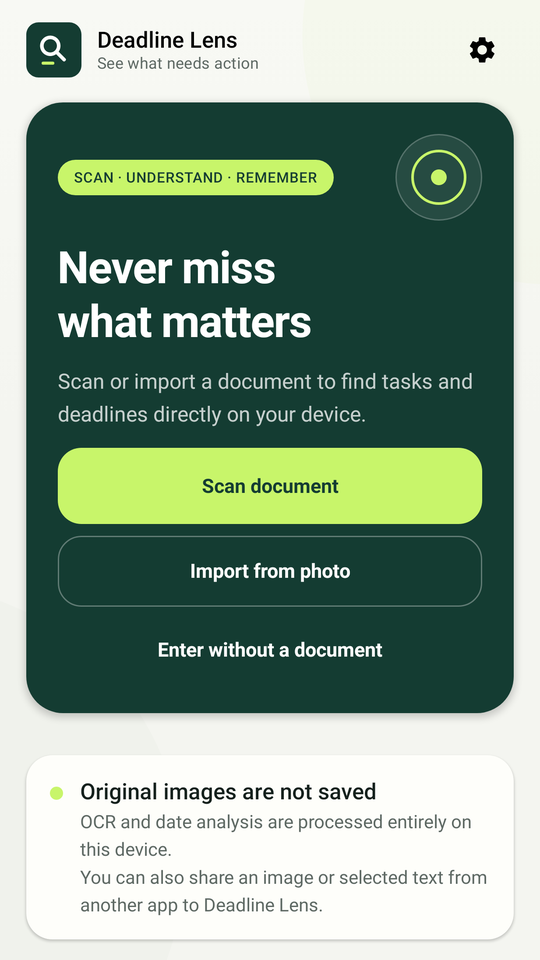
Share the text straight into the app. No screenshot needed.
Step 1
Take a photo, pick one from your gallery, or share text from another app.
Step 2
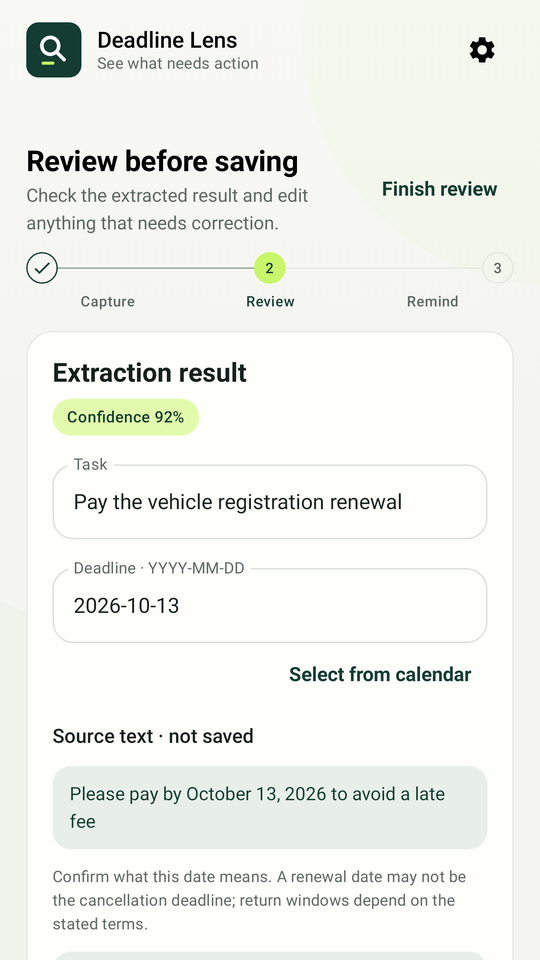
See the suggested date, the sentence it was found in, and how confident the app is. Edit anything before saving.
Step 3
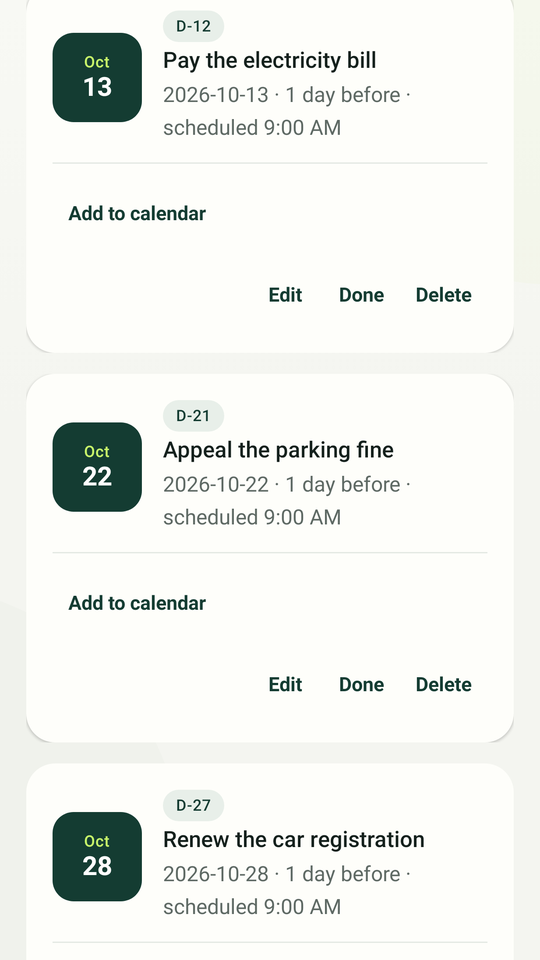
Pick same-day or one-day-before. Your deadlines are grouped by this week, later and done.
Every suggested date comes with the sentence it was found in. Dates like 10/11/2026 that read two ways are flagged, and you pick the reading.
Official date styles such as 2026. 9. 17., date ranges, due-by and valid-until wording, in Korean and English.
Add any deadline to your calendar, export upcoming ones as an .ics file, and keep the next one on your home screen with a D-day widget.
Export and import your saved deadlines as a file that is saved only where you choose. There is no cloud account to lose.
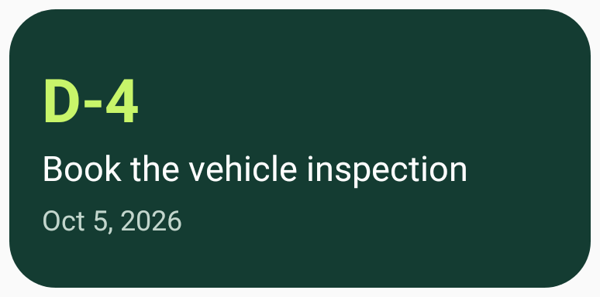
The widget shows your nearest unfinished deadline and opens it in the app. It reads only the local database.
Privacy first
Images, recognised text, saved deadlines and reminders stay on the device. The optional purchase goes through Google Play and RevenueCat, and your documents are not part of it. Files you export and the widget on your home screen are under your control, not ours.
No. Text recognition and date detection run on your phone. Document images, recognised text and saved deadlines are never sent to a server. The only network use is Google Play and RevenueCat for the optional purchase, and your documents are not part of that.
Five document analyses a month, ten saved deadlines, and same-day or one-day-before reminders. Failed or empty analyses do not count.
A one-time lifetime purchase, not a subscription. It removes the limits on analyses and saved deadlines and lets you choose any reminder timing.
They are scheduled with Android's standard background work, so battery settings can delay them. For a hard deadline, also add it to your calendar from the app.
Korean and English notices. Other languages may partly work but are not tested.
Yes. Export them to a file from Settings, copy the file over, and import it on the new phone.
An independent app by JonnyLab, not affiliated with any government agency or financial institution. Always confirm what a date means against the original notice.